New Jersey Food Stamp Office: Apply, Renew & Get Help
If you are searching for a New Jersey food stamp office, the official SNAP program in the state is called NJ SNAP. New Jersey does not operate one single statewide walk-in food stamp office for every household. Instead, local in-person service is handled through county social service agencies, while online application and benefit management routes are provided through official New Jersey systems like MyNJHelps and other NJ SNAP resources. This guide shows you how to apply, renew, find your county office, check your EBT balance, protect your card and use official help safely.
Quick Answer: How New Jersey Food Stamp Office Help Works
The official state program is NJ SNAP. If you need a New Jersey food stamp office, the correct route usually depends on your county. New Jersey’s county social service agencies handle local office services, and the official county page recommends calling your county to confirm hours before visiting. For applications, New Jersey uses MyNJHelps as the online application system for SNAP and WorkFirst NJ. For EBT balance and transactions, NJFamiliesFirst.com and the ConnectEBT app are the official balance tools. Once approved, many recipients need to complete an Interim Reporting Form midway through the certification period and recertify when the state sends a renewal notice.
County offices handle in-person help
There is no single statewide walk-in office for every household. Most in-person SNAP actions in New Jersey route through your county social service agency.
MyNJHelps starts the application
MyNJHelps is the official online application system for NJ SNAP and WorkFirst NJ. It is the best route for many new applications.
Do not share private case data here
This website is informational only. Do not upload SSNs, EBT PINs, case notices, IDs, income records or other sensitive documents here.
For a county office, use the County Social Service Agencies page. For a new application, use MyNJHelps. For renewal and ongoing benefits, follow your NJ SNAP notices and staying-on-SNAP instructions. For EBT balance or transactions, use NJFamiliesFirst.com or the ConnectEBT app. For application help, ask a SNAP Navigator.
Official Site Screenshot: What the NJ SNAP Page Looks Like
The image below shows the official New Jersey Department of Human Services NJ SNAP page. This is the main state source users should start with when looking for a New Jersey food stamp office, county social service agency, application route, renewal steps, eligibility screening, benefit use information or EBT balance help.
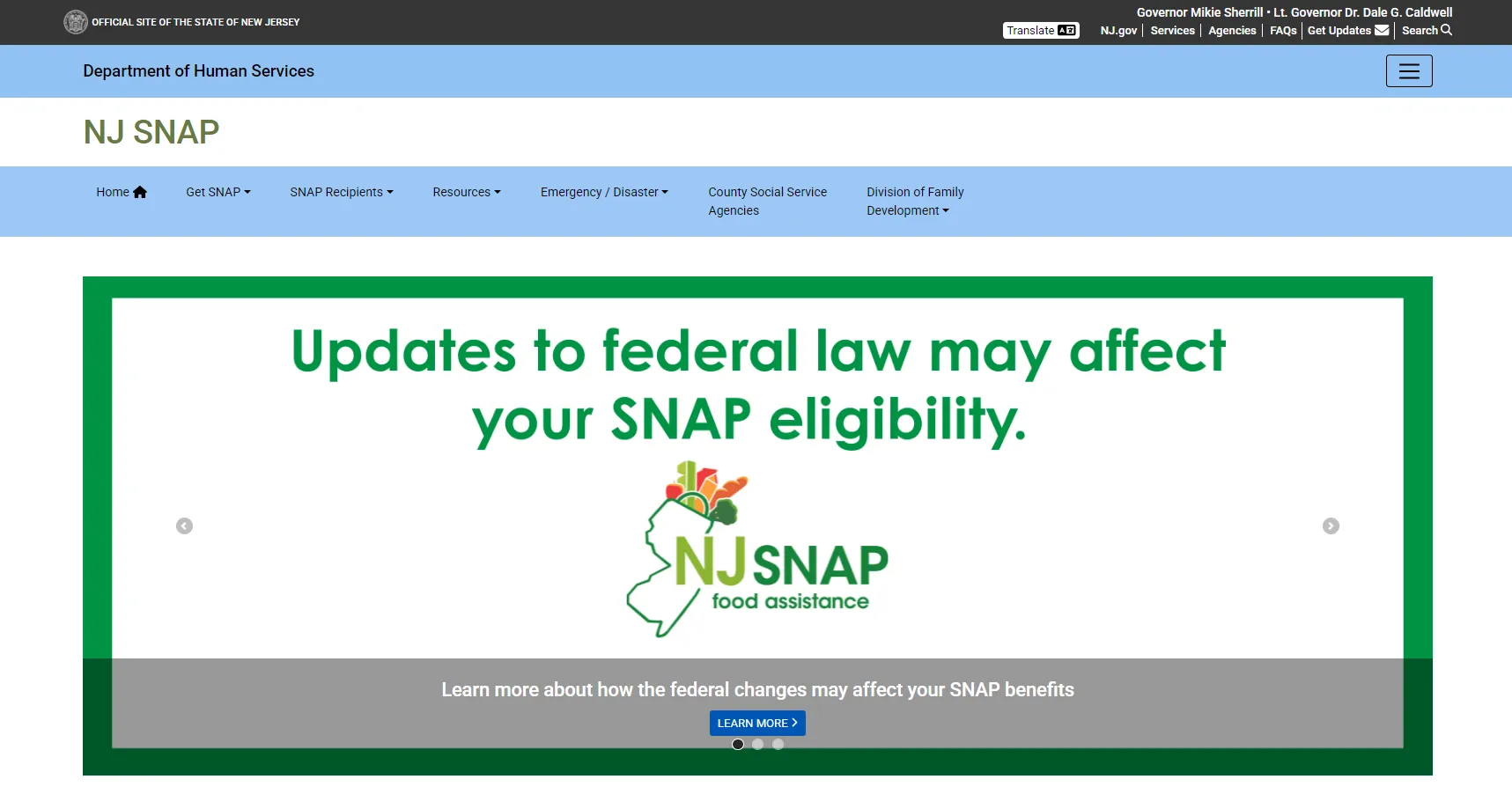
Use the screenshot as a visual reference only. Always click through to the live NJ SNAP page and your county social service agency page before applying, renewing, visiting an office or sending documents. If the screenshot and live page differ, follow the live official page.
SNAP Office Route Finder for New Jersey
Choose what you need. This tool points you to the safest official route for county office help, online applications, recertification, EBT balance, case notices, Navigator support or emergency food help.
Start with the County Social Service Agencies page and choose your county. If you are not sure where to start, open the NJ SNAP homepage first, then use the county office list or MyNJHelps application route.
How to Find the Right New Jersey Food Stamp Office
Use this workflow for searches like “New Jersey food stamp office,” “NJ SNAP office,” “county social services near me,” “apply for food stamps NJ,” “NJ SNAP renewal,” or “EBT balance New Jersey.”
Start at NJ SNAP
Open the official NJ SNAP homepage to understand the program and see official application, recipient and help links.
Find your county agency
Open the County Social Service Agencies page and select your county. This is the local office route for in-person or county-level help.
Call before you visit
The official county page recommends calling your county to confirm hours of operation before visiting.
Use the correct action route
Use MyNJHelps to apply, use your notices to renew, and use NJFamiliesFirst.com or ConnectEBT for official EBT balance and transaction help.
New Jersey Food Stamp Office Map Search
A map can help you discover nearby county social service agencies, but it should never replace the official county office listing. Use map results only as a travel helper, then confirm the office name, address, phone number and hours on the official county page.
Some map results may be outdated, renamed, closed, merged, appointment-only or not the correct county office for your household. Always confirm with the official County Social Service Agencies page before visiting.
Apply, Renew and Stay on NJ SNAP
New Jersey provides several official routes for getting on and staying on SNAP. New applicants usually start with MyNJHelps. Current recipients need to watch for notices about Interim Reporting Forms, recertification and any requested documents.
Apply through MyNJHelps
MyNJHelps is the official online application system for New Jersey’s SNAP and WorkFirst NJ programs.
Screen before you apply
New Jersey offers official eligibility screening routes, which can help you see whether you may qualify for food assistance and related programs.
Complete the IRF on time
Most recipients must complete an Interim Reporting Form halfway through the certification period to keep benefits going.
Recertify before your case ends
New Jersey says most people are certified for 12 or 24 months, and a letter is sent before the certification period expires to start recertification.
Ask a SNAP Navigator
SNAP Navigators can explain availability, eligibility, documents and application steps, and they can help you complete your application.
Use your county office for local issues
For local questions, office visits, notice follow-up, or county-specific procedures, use your county social service agency.
Never guess your renewal date from a generic article. Always follow your official NJ SNAP notices, online account messages and county instructions because deadlines and required documents are case-specific.
Should You Visit an Office, Call, or Use the Online Portal?
This table helps you choose the safest route for your SNAP issue and avoid going to the wrong office or using the wrong website.
| Situation | Best action | Why this route is safer |
|---|---|---|
| New SNAP application | Use MyNJHelps first; visit or call your county agency if you need help. | The online system is the official application route, while county staff can help when you have barriers or questions. |
| Need the right office | Use the County Social Service Agencies page and choose your county. | A statewide “near me” search may show the wrong county office or outdated information. |
| Need hours | Call your county office before visiting. | The official county page specifically recommends calling to confirm hours before you travel. |
| Renewal, IRF or case notice | Follow your official notice and use your state account or county office instructions. | Deadlines and requested forms vary from case to case. |
| EBT balance or transaction history | Use NJFamiliesFirst.com or the ConnectEBT app. | These are the official balance and transaction tools for New Jersey SNAP benefits. |
| Need help applying | Use a SNAP Navigator or county office. | Navigators can explain eligibility, documents and application steps without guessing. |
SNAP Documents Checklist Before You Apply or Renew
Documents vary by household and case. Use your official notice or county office instructions for the exact list. This checklist helps you prepare for the most common requests.
Common verification items
- Photo ID or identity proof if requested.
- Social Security numbers or proof of application where required.
- Proof of New Jersey address and household composition.
- Pay stubs, self-employment records, unemployment or other income proof.
- Rent, mortgage, utility or shelter cost records.
- Child care, child support or medical cost proof if applicable.
- Immigration or eligible non-citizen documents if applicable.
- Any NJ SNAP notice asking for missing forms or verification.
Mistakes that delay benefits
- Uploading documents to a third-party website.
- Ignoring an Interim Reporting Form or recertification notice.
- Going to the wrong county office.
- Using a map listing without checking the official county office page.
- Waiting until the deadline day to ask about missing verification.
- Sharing your EBT PIN, case number or personal data with a scam caller or text message.
Staying on SNAP in New Jersey
Once you are approved, keeping your benefits active is just as important as getting approved. New Jersey’s recipient guidance says most people are certified for 12 or 24 months, an Interim Reporting Form is usually required halfway through, and a recertification letter is sent before the certification period ends.
Watch your certification period
Your case is approved for a limited period of time. Do not assume it stays open forever.
Submit your IRF on time
The Interim Reporting Form is often due halfway through the certification period and is important for keeping benefits coming.
Open your mail and messages
New Jersey sends a letter before the certification period expires, so keep an eye on mail, notices and account messages.
Even if you already receive benefits, missing an IRF, recertification notice or interview request can cause benefits to stop or be delayed.
EBT Help in New Jersey: Balance, Transactions and Card Safety
NJ SNAP benefits are issued on a Families First EBT card that works like a debit card. New Jersey says the card can be used in most grocery stores and some participating farmers’ markets. For balance and transactions, NJFamiliesFirst.com is the official EBT portal, and the ConnectEBT app is the official app for SNAP and Work First New Jersey benefits.
Check your balance safely
Use NJFamiliesFirst.com or the ConnectEBT app to check card balance, deposits and transaction history.
Protect your Families First card
Use only official EBT tools to manage your card, and never give your PIN to anyone by phone, text, email or social media.
Review activity often
Official EBT tools let you review recent activity so you can catch problems quickly.
Find stores that take EBT
Use the USDA SNAP Retailer Locator to find authorized stores near your address, city, county or ZIP code.
Benefits work for eligible food
SNAP benefits are for eligible food purchases, not cash or general nonfood items.
Use ConnectEBT
New Jersey identifies ConnectEBT as the official app for NJ SNAP and Work First New Jersey benefits.
What SNAP Can and Cannot Buy
USDA says SNAP can generally buy eligible food for the household, including fruits, vegetables, meat, poultry, fish, dairy, breads, cereals, snack foods, non-alcoholic beverages, and seeds or plants that produce food. SNAP generally cannot buy alcohol, tobacco, vitamins, medicines, supplements, hot foods at the point of sale, pet food, cleaning supplies, paper products, hygiene items or other nonfood items.
Eligible food categories
- Fruits and vegetables.
- Meat, poultry and fish.
- Dairy products.
- Breads and cereals.
- Snack foods and non-alcoholic beverages.
- Seeds and plants that produce food for the household.
Common non-eligible purchases
- Beer, wine or liquor.
- Cigarettes or tobacco.
- Vitamins, medicines and supplements.
- Hot food at the point of sale.
- Pet food, cleaning supplies and paper products.
- Hygiene items, cosmetics and other nonfood items.
People Also Search For: New Jersey SNAP Topics
This guide covers related search intent naturally, including NJ SNAP application, NJ food stamp office near me, county social service agency, MyNJHelps, NJ SNAP recertification, IRF, EBT balance, ConnectEBT, stores that accept EBT and SNAP Navigator help.
County social service agency
Use the official county office list to find the right local office for your household.
MyNJHelps application
Use the official MyNJHelps route for new applications and other state assistance screening.
NJ SNAP recertification
Use your official notices and staying-on-SNAP guidance to keep benefits active.
Interim Reporting Form
The IRF is a key midpoint step for many households and should not be ignored.
EBT balance and transactions
Use NJFamiliesFirst.com or the official ConnectEBT app for balance and history.
SNAP Navigator assistance
Navigators can help explain eligibility, documents and the application process.
Bing Deep Dive: NJ SNAP Office vs County Office vs MyNJHelps vs EBT
Different search terms lead to different actions. Use this table to choose the correct route and avoid confusion.
| Search term | What users usually need | Best route |
|---|---|---|
| New Jersey food stamp office | State SNAP information and the right local office route. | NJ SNAP homepage, then County Social Service Agencies page. |
| NJ SNAP office near me | County office address, hours and phone number. | County Social Service Agencies page and a phone call before visiting. |
| MyNJHelps | Online application or state assistance screening. | Official Application Process page and MyNJHelps. |
| NJ SNAP recertification | Renewal steps, IRF or staying-on-SNAP instructions. | Staying on SNAP page, official notices and county instructions. |
| New Jersey EBT balance | Balance, deposits or transaction history. | NJFamiliesFirst.com or the ConnectEBT app. |
| SNAP help applying NJ | Help with forms, eligibility and documents. | SNAP Navigator program or county social service agency. |
FoodStampsOffice.org Review & Trust Check
This page does not show fake star ratings, fake reviews or made-up user testimonials. Instead, it uses an official-source-first method and clearly tells users when they must switch to state or county sources.
No fake ratings shown
This page intentionally avoids invented ratings, testimonials or unverified claims of government endorsement.
Official-source first
Key actions point to NJ SNAP, county social service agencies, MyNJHelps, NJFamiliesFirst, ConnectEBT, USDA/FNS and USA.gov.
Information only
This website can guide users, but it cannot process applications, decide eligibility or view state case files.
Not a state or county office
FoodStampsOffice.org is not a New Jersey government site and is not a county social service agency.
Use official agencies for decisions
New Jersey state and county agencies are the final authority for applications, renewals, interviews, notices, EBT actions and deadlines.
Verify before you act
Always compare a guide page with the live official source before visiting an office, uploading documents or sharing personal information.
Review and AggregateRating schema should only be used when visible reviews are real and source-backed. Since that kind of verified review data is not being displayed here, this page does not include Review or AggregateRating schema.
SNAP Safety and Scam Warning
People searching for food assistance often have urgent deadlines or urgent grocery needs. Protect your case, your card and your identity by using official routes only.
Do this
- Use NJ SNAP, MyNJHelps, county office pages, NJFamiliesFirst.com and ConnectEBT.
- Call your county office before visiting.
- Use official notices for IRF, recertification, interviews and missing documents.
- Check your EBT activity regularly through official tools.
- Use SNAP Navigators or county staff for application help.
Do not do this
- Do not share your EBT PIN with any website, text, social media page or caller.
- Do not send SSNs, IDs or case documents to an independent guide site.
- Do not pay a private site to apply for SNAP.
- Do not trust “guaranteed approval” messages or fake emergency card replacement offers.
- Do not rely on unofficial hours or random map listings without state or county confirmation.
Official New Jersey, USDA/FNS and USA.gov Links
Use these official sources for final confirmation. FoodStampsOffice.org is an independent informational guide and cannot process SNAP applications, approve benefits, view case files, issue EBT cards or replace official agency instructions.
New Jersey Food Stamp Office FAQ
Is there one single New Jersey food stamp office?
No. New Jersey does not have one single statewide office for every household. Local in-person SNAP help is generally handled by county social service agencies.
How do I find my county SNAP office in New Jersey?
Use the official County Social Service Agencies page and choose your county. The state recommends calling your county office to confirm hours before visiting.
How do I apply for SNAP in New Jersey?
Use the official MyNJHelps route through the NJ SNAP Application Process page. MyNJHelps is the online application system for NJ SNAP and WorkFirst NJ.
Can I get help filling out the application?
Yes. New Jersey’s SNAP Navigator program can help explain eligibility, gather documents and guide you through the application process.
How do I renew or recertify my NJ SNAP benefits?
Follow your official notices and staying-on-SNAP guidance. Many recipients also need to complete an Interim Reporting Form halfway through the certification period.
What is the Interim Reporting Form or IRF?
The Interim Reporting Form is a required form for many recipients that is completed halfway through the certification period to help keep benefits active.
How do I check my New Jersey EBT balance?
Use NJFamiliesFirst.com or the ConnectEBT app. New Jersey identifies these as the official EBT balance and transaction tools.
Where can I use my Families First card?
NJ SNAP benefits are used through a Families First EBT card that works like a debit card in most grocery stores and some participating farmers’ markets.
What documents do I usually need for NJ SNAP?
Common requests include identity, address, income, shelter cost and household information, but your exact required documents depend on your case and any official notice you receive.
Is FoodStampsOffice.org an official New Jersey government website?
No. FoodStampsOffice.org is an independent informational website. For applications, official notices, case status, deadlines and EBT actions, use NJ SNAP, your county office or other official state resources.
Final Recommendation
If you searched for a New Jersey food stamp office, start with the official NJ SNAP page and then move to the correct county social service agency for local office help. Use MyNJHelps for applications, use your official notices for IRF and recertification, use NJFamiliesFirst.com or ConnectEBT for balance and transactions, and use a SNAP Navigator if you need help applying. This page is designed to help you navigate safely, but official New Jersey and county sources should be your final authority for actions that affect your benefits.
Last updated: June 15, 2026. County hours, office procedures, online systems and recipient requirements can change, so confirm critical details with official NJ SNAP and county sources before visiting an office, uploading documents or sharing personal information.